Spring
[Spring] 공공데이터 포털 API 활용 - 날씨 조회
큐범
2022. 3. 29. 00:57
프로젝트 진행 중, 프로젝트의 상황에 알맞는 데이터를 API로 불러와
활용을 해보는데 정리를 하기로 했다.
기상청_관광코스별 관광지 상세 날씨 조회서비스
관광코스별 관광지의 동네예보, 기상지수예보, 시군구별 관광기후지수 정보를 조회하는 서비스
www.data.go.kr
위의 사이트로 들어가
위의 활용신청을 클릭한다.
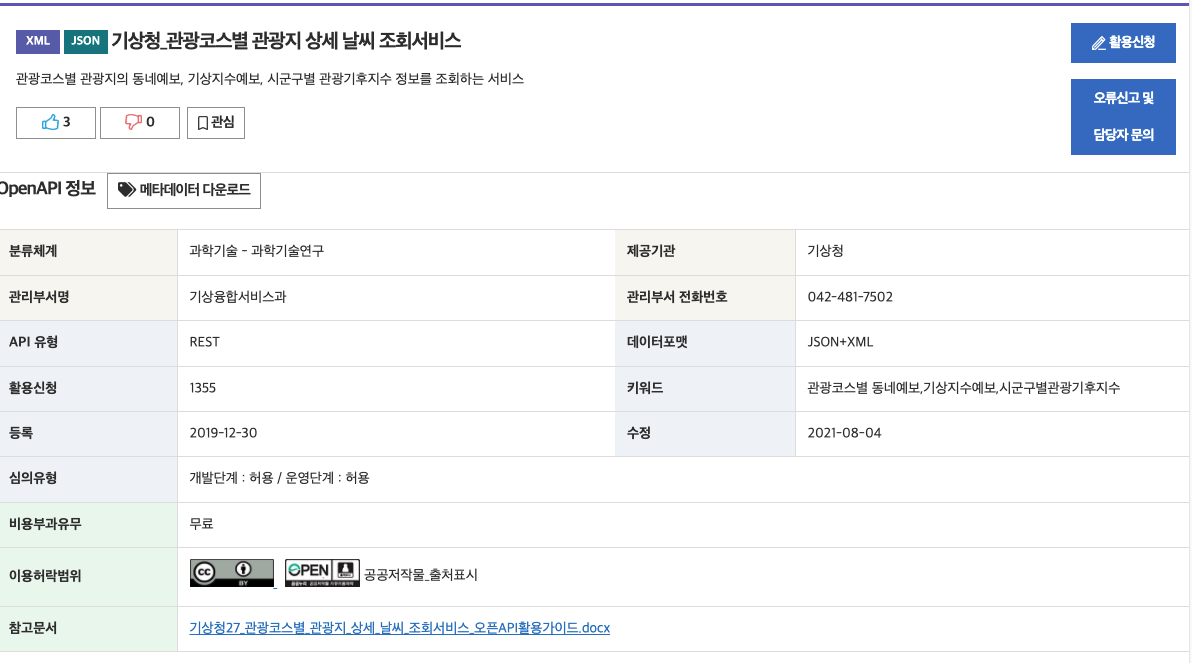
그러면 다음과 같이 활용가능한 신청을 받을 수 있는데,

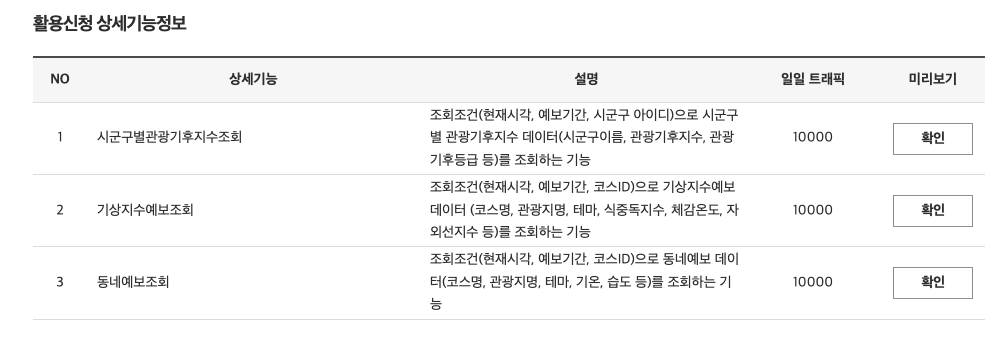
코드 샘플
package com.example.weather;

import org.springframework.web.bind.annotation.GetMapping;
import org.springframework.web.bind.annotation.RequestMapping;
import org.springframework.web.bind.annotation.RestController;

import java.io.BufferedReader;
import java.io.IOException;
import java.io.InputStreamReader;
import java.net.HttpURLConnection;
import java.net.URL;
import java.net.URLEncoder;

@RestController
@RequestMapping("/test")
public class GetWeather {

    GetWeather(){

    }

    @GetMapping("/wea")
    public String wather() throws IOException {
        String apiUrl = "http://apis.data.go.kr/1360000/TourStnInfoService/getTourStnVilageFcst";

        String serviceKey = "서비스키";
        String pageNo = "1";	//페이지 번호
        String numOfRows = "10";	//한 페이지 결과 수
        String dataType = "JSON";	//데이터 타입
        String CURRENT_DATE = "20220329";	//조회하고싶은 날짜
        String HOUR = "24";	//조회하고 싶은 날짜의 시간 날짜
        String COURSE_ID = "1";	//관광 코스ID


        StringBuilder urlBuilder = new StringBuilder(apiUrl);
        urlBuilder.append("?" + URLEncoder.encode("ServiceKey","UTF-8") + "="+serviceKey);
        urlBuilder.append("&" + URLEncoder.encode("pageNo","UTF-8") + "=" + URLEncoder.encode(pageNo, "UTF-8"));
        urlBuilder.append("&" + URLEncoder.encode("numOfRows","UTF-8") + "=" + URLEncoder.encode(numOfRows, "UTF-8"));
        urlBuilder.append("&" + URLEncoder.encode("dataType","UTF-8") + "=" + URLEncoder.encode(dataType, "UTF-8"));
        urlBuilder.append("&" + URLEncoder.encode("CURRENT_DATE","UTF-8") + "=" + URLEncoder.encode(CURRENT_DATE, "UTF-8"));
        urlBuilder.append("&" + URLEncoder.encode("HOUR","UTF-8") + "=" + URLEncoder.encode(HOUR, "UTF-8"));
        urlBuilder.append("&" + URLEncoder.encode("COURSE_ID","UTF-8") + "=" + URLEncoder.encode(COURSE_ID, "UTF-8"));

        /*
         * GET방식으로 전송해서 파라미터 받아오기
         */
        URL url = new URL(urlBuilder.toString());
        HttpURLConnection conn = (HttpURLConnection) url.openConnection();
        conn.setRequestMethod("GET");
        conn.setRequestProperty("Content-type", "application/json");
        System.out.println("Response code: " + conn.getResponseCode());
        BufferedReader rd;
        if(conn.getResponseCode() >= 200 && conn.getResponseCode() <= 300) {
            rd = new BufferedReader(new InputStreamReader(conn.getInputStream()));
        } else {
            rd = new BufferedReader(new InputStreamReader(conn.getErrorStream()));
        }
        StringBuilder sb = new StringBuilder();
        String line;
        while ((line = rd.readLine()) != null) {
            sb.append(line);
        }
        rd.close();
        conn.disconnect();
        String result= sb.toString();
        System.out.println(result);

    return result;
    }
}
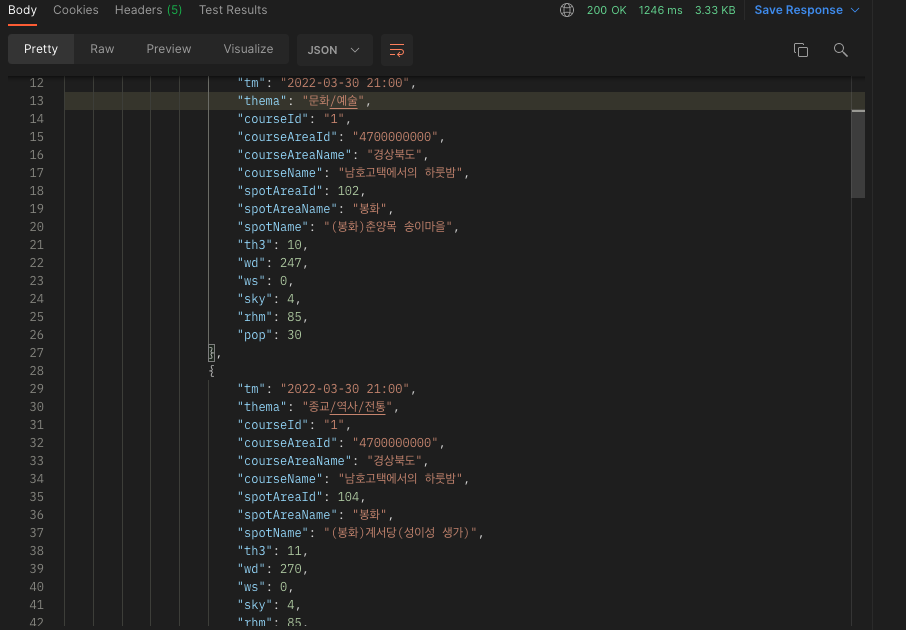
TEST Result